Google Image Search Downloader - Free Bulk Download Tool
Stop saving images manually. This Google image downloader lets you bulk download pictures from Google search results in original quality — one click saves hundreds of photos.
Downloading Images Manually
- Right-click 'Save image as' one by one — wastes hours on large galleries
- Get only compressed thumbnails, not full-resolution originals
- No way to filter by size, type, or quality before downloading
- Lose track of source URLs for attribution and licensing
- Browser extensions often break after updates or get removed
With NeoDownloader
- One-click bulk download — grab all images at once, 100, 200, or more
- This Google image downloader extracts original source URLs to save full-size pictures
- Built-in filters: skip small images, duplicates, and wrong formats
- Source URL saved with every image for easy license verification
- Standalone desktop app — works offline, no browser dependencies
How to Download and Save Images from Google
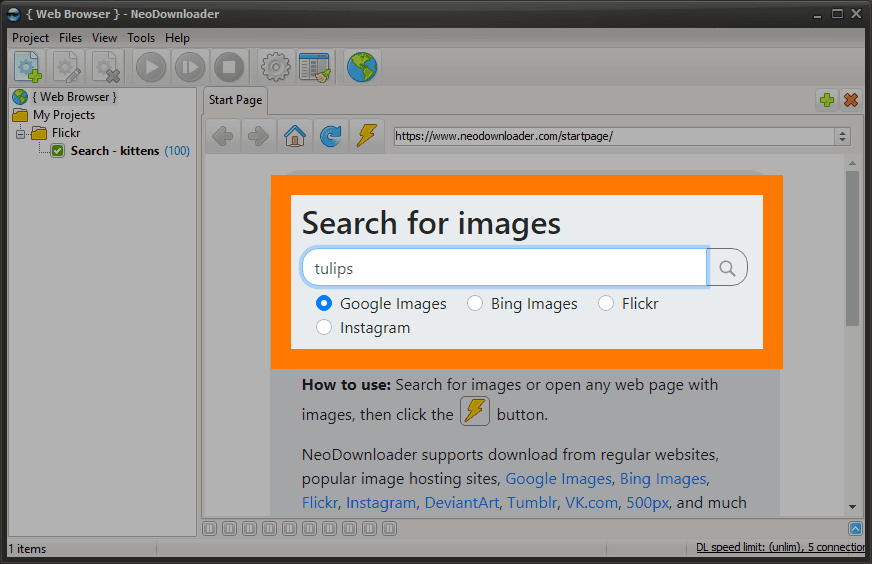
Type Keywords & Press Enter
Launch NeoDownloader. Simply type your search term into the address bar. The built-in browser loads Google Image Search results automatically — no need to copy-paste URLs.
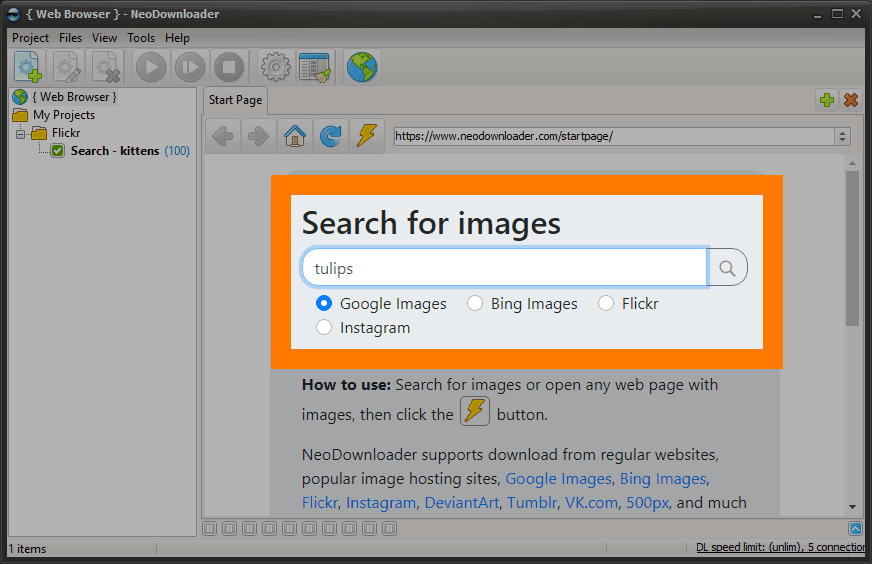
Search and Apply Filters
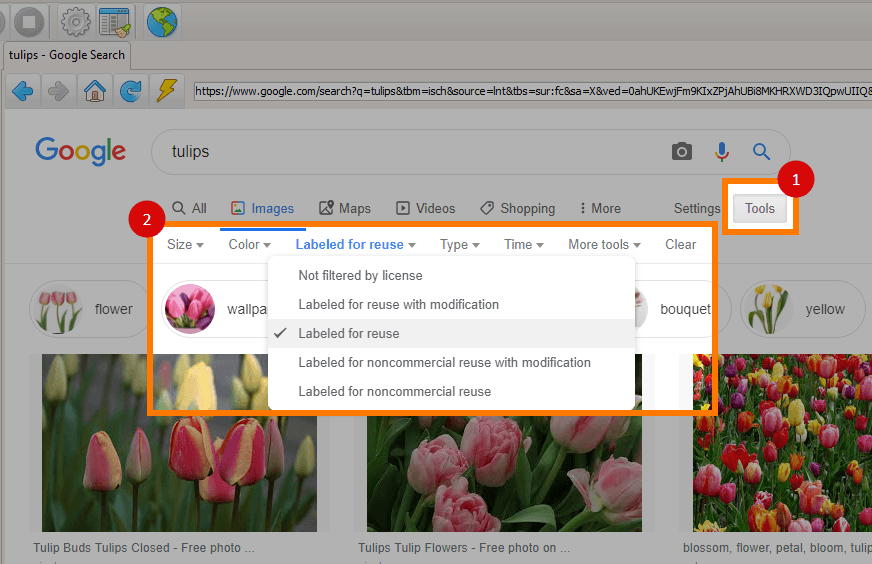
Search for any topic and use Google's built-in filters (Size, Color, Type, License) to narrow results. Google typically shows 400–500 images per search (or fewer if there are less matching results).
Click Download — Done!
Click the 'Download' button. The app will save all pictures found on the page to your hard drive — in parallel, up to 20 at once. No clicking on each image, no "Save As" dialogs.
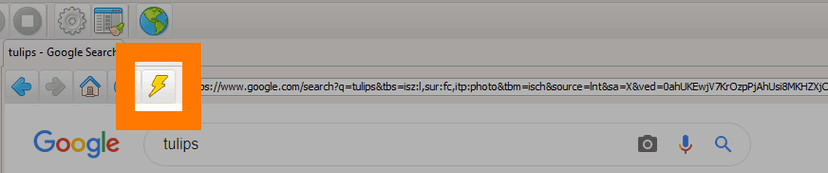
Click the lightning button to start
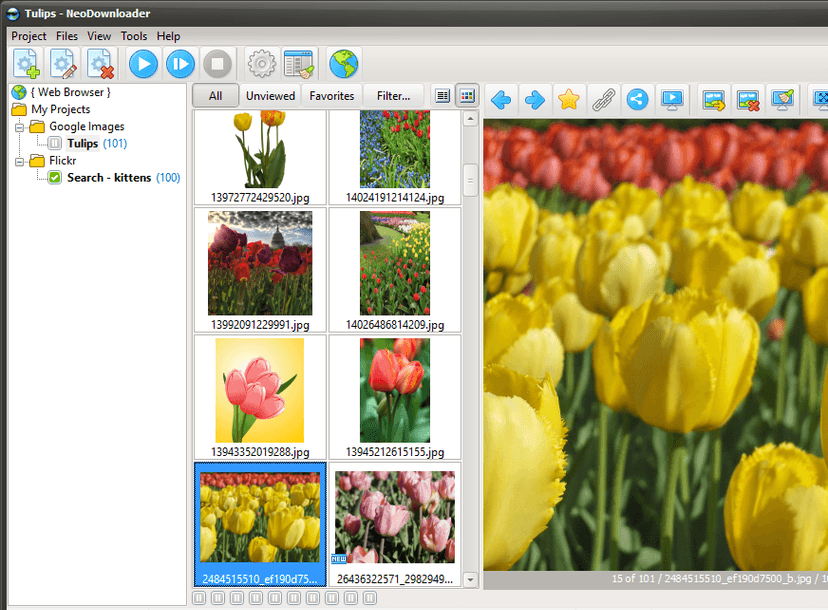
Images download automatically
Tip: Scroll Before Downloading
Google may show a CAPTCHA when you scroll through search results. Before clicking Download, scroll down once to load more images. If a CAPTCHA appears, solve it first. This usually prevents CAPTCHAs from appearing again, even after restart.
Power Features for Advanced Users
NeoDownloader's built-in browser supports all Google search operators. Combine these with bulk downloads for precise image collection.
Site-Specific Downloads
site:flickr.com sunsetDownload images only from specific domains like Flickr, Unsplash, or DeviantArt.
File Type Filtering
logo filetype:pngFind transparent PNGs, animated GIFs, or specific formats for your projects.
Exclude Unwanted Content
landscape -watermarkUse minus sign to filter out watermarked images, stock photos, or specific keywords.
Exact Phrase Matching
"golden retriever puppy"Quotes force exact phrase matching for precise search results.
What You Get with This Google Image Downloader
Finding the Original Source
Need to check image licenses or find the original author? NeoDownloader saves the source webpage URL for every downloaded image.
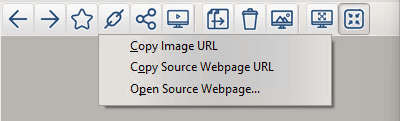
Click the Link button in viewer toolbar to copy or open the original webpage.
Tip: When using Creative Commons images, the source webpage contains attribution requirements and the specific CC license version.
Frequently Asked Questions
Is there a Google Image Search Downloader for PC?
Yes. Download the free Google image downloader — NeoDownloader is a desktop app that lets you bulk download images from Google search results. It works on Windows — no browser extensions or online services needed.
How do I save images from Google?
With NeoDownloader, saving images from Google is simple: search for any topic in the built-in browser, then click Download. All pictures are saved to your hard drive automatically in original quality — no manual right-click "Save As" required.
Can I download full size images from Google?
Yes. Unlike browser extensions that save thumbnails, this Google image downloader extracts the original full-size picture from the source website. You get the highest available resolution, not Google's compressed previews.
Is it legal to download images from Google?
Google Images is a search engine that indexes content from other websites. Copyright belongs to the original creators. Use the Usage Rights filter to find Creative Commons or commercially licensed images, and always verify on the source site.
How do I find high-resolution images?
Use Google's Size filter and select "Large". You can also add dimensions to your search, like wallpaper 4k or 3840x2160. NeoDownloader saves images in their original resolution from the source website.
What if some images fail to download?
Some images may be unavailable (deleted, moved, or blocked). NeoDownloader automatically skips failed downloads and continues with the rest. You can retry failed items later.
How many images can I download from one search?
Google typically displays 400–500 images per search query. This Google picture downloader grabs all of them with one click. To get more results, try different search terms or adjust the filters.
What are the limits of the free version?
The free version allows 100 files per project with no time limit. You can create unlimited projects. Premium ($39.95$29.95, one-time) removes all limits and adds HD/4K video support.
Can I download images from other search engines too?
Yes. NeoDownloader also works as a Bing image downloader and supports 1,500+ websites including Flickr, Pinterest, and Reddit.
Why Use NeoDownloader for Google Image Search?
One-Click Bulk Download
Click once, download all visible images. This Google picture downloader grabs 100+ photos in seconds — no more tedious right-click, Save As, repeat.
Full Resolution Originals
Save images from Google in their original quality — not compressed thumbnails. NeoDownloader extracts full-size pictures from source websites.
Smart Filtering
Skip tiny images, duplicates, and unwanted formats automatically. Set minimum dimensions and file size thresholds before downloading.
Built-in Browser
Search Google Images directly in NeoDownloader. Apply filters, scroll to load more, then bulk download — all in one app.
Ready to Download from Google Image Search?
Join thousands who use this free Google image downloader to save pictures from search results in bulk.